I don’t really know much about M.2 slots and the different capabilities and how the key type corresponds, so I don’t want to spend money on something that won’t work.
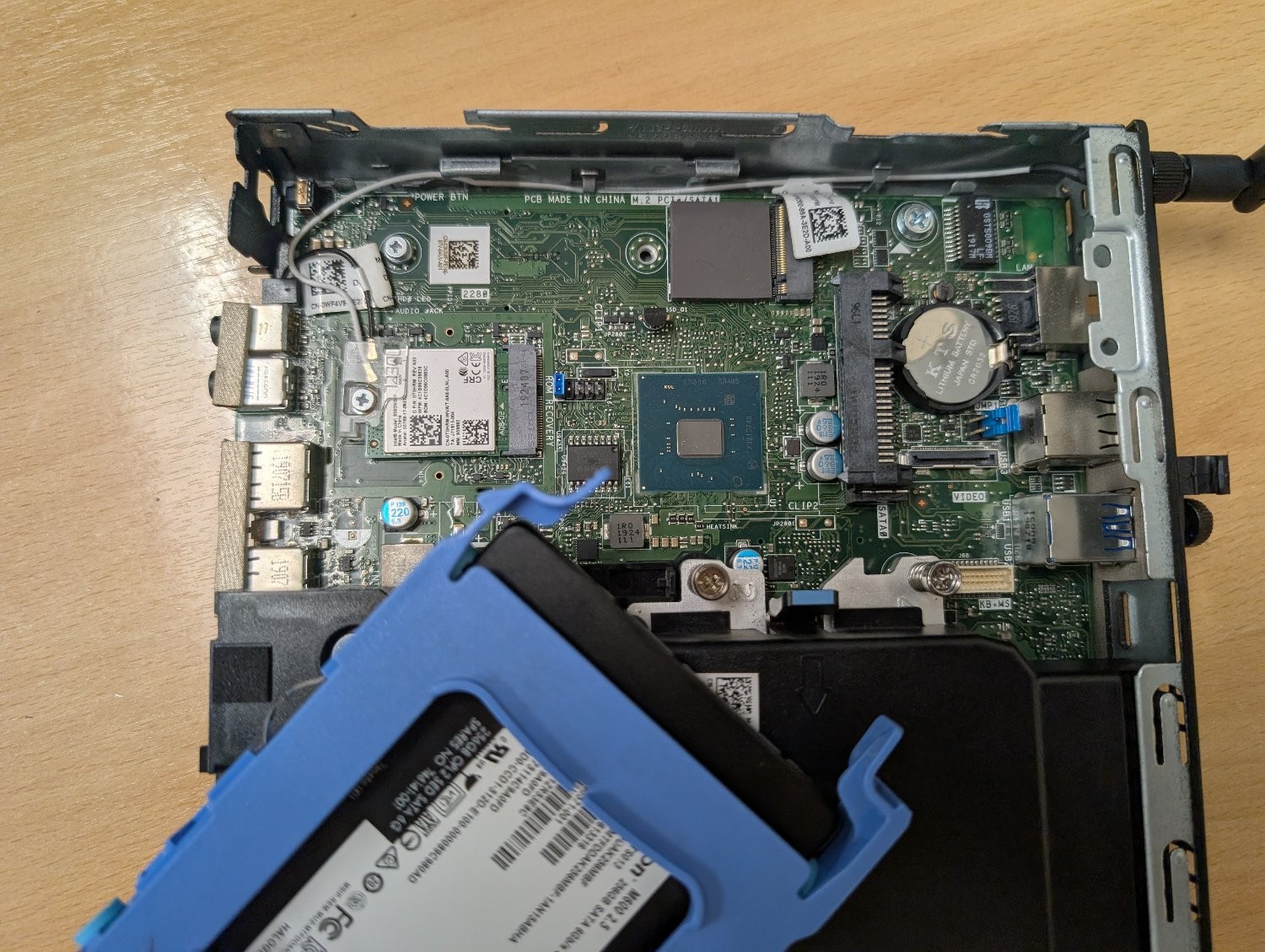
There’s an unused slot on the motherboard marked ‘M.2 PCIe / SATA1’. I believe it’s M-keyed.
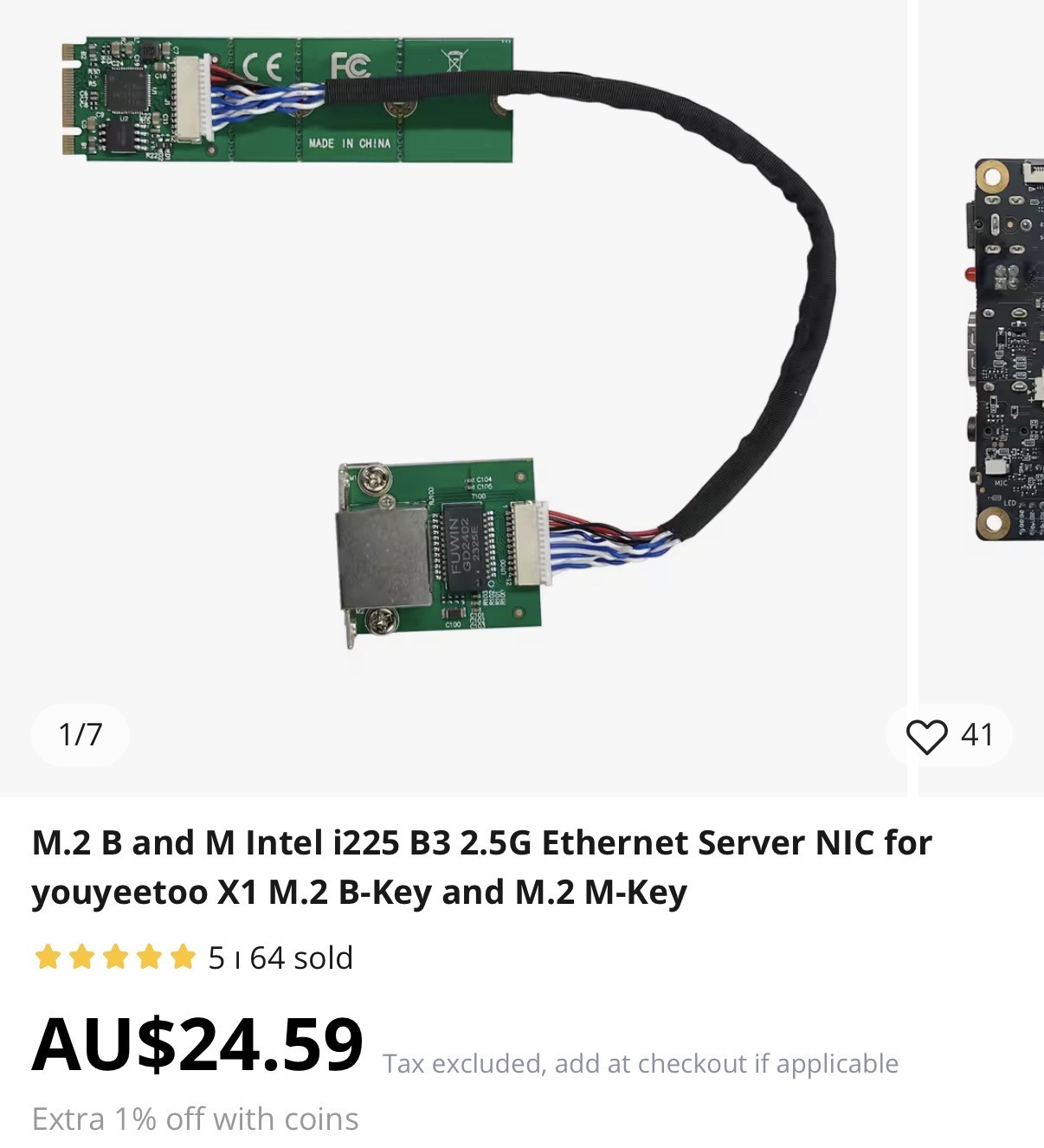
Can it be used with an M+B keyed adapter like this one? Or will it physically fit, but the socket itself isn’t wired to work with an ethernet adapter? Is there a command I can run to figure out the capabilities of that slot?
My plan is to use this machine as an OpenWrt router to replace the shitty Linksys one my ISP supplied, but it would obviously need a second ethernet socket. My home wifi is dealt with by a TP-Link mesh network, so I don’t need it to have wifi and bluetooth. I could use the slot that the networking card is using, but if I can retain those then that would be ideal for any future flexibility I may need.
Yes. I’m doing that with a 7040mff right now.
Not a direct answer to your question, but assuming you have a switch that supports VLANs you don’t need a second ethernet port at all.
In general, it should work. Since M.2 slots are usually wired to PCIe and networkcards will usually also be attached to PCIe, I don’t see why not. However, personally I’d probably not use something from aliexpress for this purpose.
I’m in a rush but ive out Ethernet cards in both slots of my optiplex 3080 m.2 slots. The top right slot is vanilla and 4xpcie lanes,full speed. The bottom left is A+e keying and only 1x lane which is enough for 2.5gig Ethernet. This is ultimately what i used. For my prfesene box I added a second card, a 2 port Ethernet card to the top right m.2 slot and made it a four port beast.
It should work, but its kinda one of those things where you won’t know until you try. As long as the Ethernet adapter is using an Intel or Realtek chipset, you shouldn’t have any issues driver-wise
My router is literally exactly that running proxmox with pfsense, pihole, and wifi controller VMs. No issues works fantastic, make sure it auto boots in bios and you should have a great time.
I don’t see why not, and for $24 you may as well give it a go.
How is it $24 ?
Well the item they linked is listed for 17,99 euros, probably listed for 24 usd on the american website.
Unfortunately I can’t switch to the american version. For some reason they use the absolutely awful captcha with the slowly disappearing images, which I refuse to use. The Dutch version has the regular one where you just select the images without them disappearing.
If the m2 to Ethernet road leads nowhere: you could try one or more usb3 to Ethernet adapters.
I would recommend this over the M.2 adapter. USB3 goes up to 5 gbps, so gigabit Ethernet should be no problem. Just get an an adapter from any actual brand, even if it’s just tp-link. No junk non-brand ones because they’ll be unreliable or not work at all due to a bad chipset.
Do note you can use a device with only one ethernet port as a router/firewall, if you have a managed switch, you just only get half-duplex speeds naturally.
You don’t strictly need a managed switch, but I would recommend it for security.
But where are you getting half duplex from? I’ve never seen anything support half duplex gigabit Ethernet. A router on a stick is as fast as your adapter chipset can push packets.
It’s not actually half duplex, but because every outbound packet needs an inbound twin (and vice versa) on the same cable, you get half-duplex rates for the interface in effect.
No, if everything supports it, you can can get full gigabit line rate in both directions at the same time.
It is wired for PCIe, it will probably work, I have personally had wonderful luck with these kinds of things, but you always risk stupid UEFI vendor code stopping it from working.
The key doesn’t correspond to capability. It’s about the connector’s physical shape. i.e. which side is the lil notch on. B has a notch on the right, M on the left. B & M have a notch on both sides and therefore fits into either connector, but it is limited to PCIex2/SATA speed (i’d guess this won’t matter to you as pciex2 is around 4gbps even on pci1). It also doesn’t mean the length would fit, that’ll be a number like 2230, 2280 etc.
You’d have to check the manual for the motherboard to see if it specifies, but if it’s labelled m.2 PCIe it should work I think. If it only said SATA then it would not work.
You can try
dmidecode --type sloton Linux, it should list them as available and presumably specify the type to be PCI express.I think ultimately you’ll only know when you try, but these may give you some confidence.
This is the output of dmidecode
Handle 0x0026, DMI type 9, 17 bytes System Slot Information Designation: SLOT1_M.2 Type: x4 M.2 Socket 3 Current Usage: Available Length: Long Characteristics: 3.3 V is provided PME signal is supported Bus Address: 0000:ff:1f.7
Handle 0x0027, DMI type 9, 17 bytes System Slot Information Designation: SLOT2_M.2 Type: x1 M.2 Socket 1-SD Current Usage: In Use Length: Short Characteristics: 3.3 V is provided PME signal is supported Bus Address: 0000:ff:00.0
I’m guessing the top one is the M.2 in question, on account of it saying “Available”. And from what I understand having searched for some of the info on that, it should work, assuming the firmware allows for it.
The slot that is currently in use is the slower one since it’s only Type: x1. Depending on what you use the slot currently (such as an M.2 drive), you might wanna switch slots so you can take advantage of the speed; the x1 slot is completely adequate for 1gbps ethernet if you don’t need more. Both slots are otherwise functionally the same, but make sure to look up in your mainboard documentation if there’s any limitation if you use both slots or a specific hardware configuration (mine deactivated the second M.2 slot after changing from an 2600x to an 5950x for example)
I believe the fact that it comes up as a “slot” is positive. SATA m.2 connectors don’t show up under slots, they come under "connector"s with type SATA.
I had never seen or heard of anything like this before, but apparently it is possible to do, at least Amazon sells something that matches the description you’re looking for:
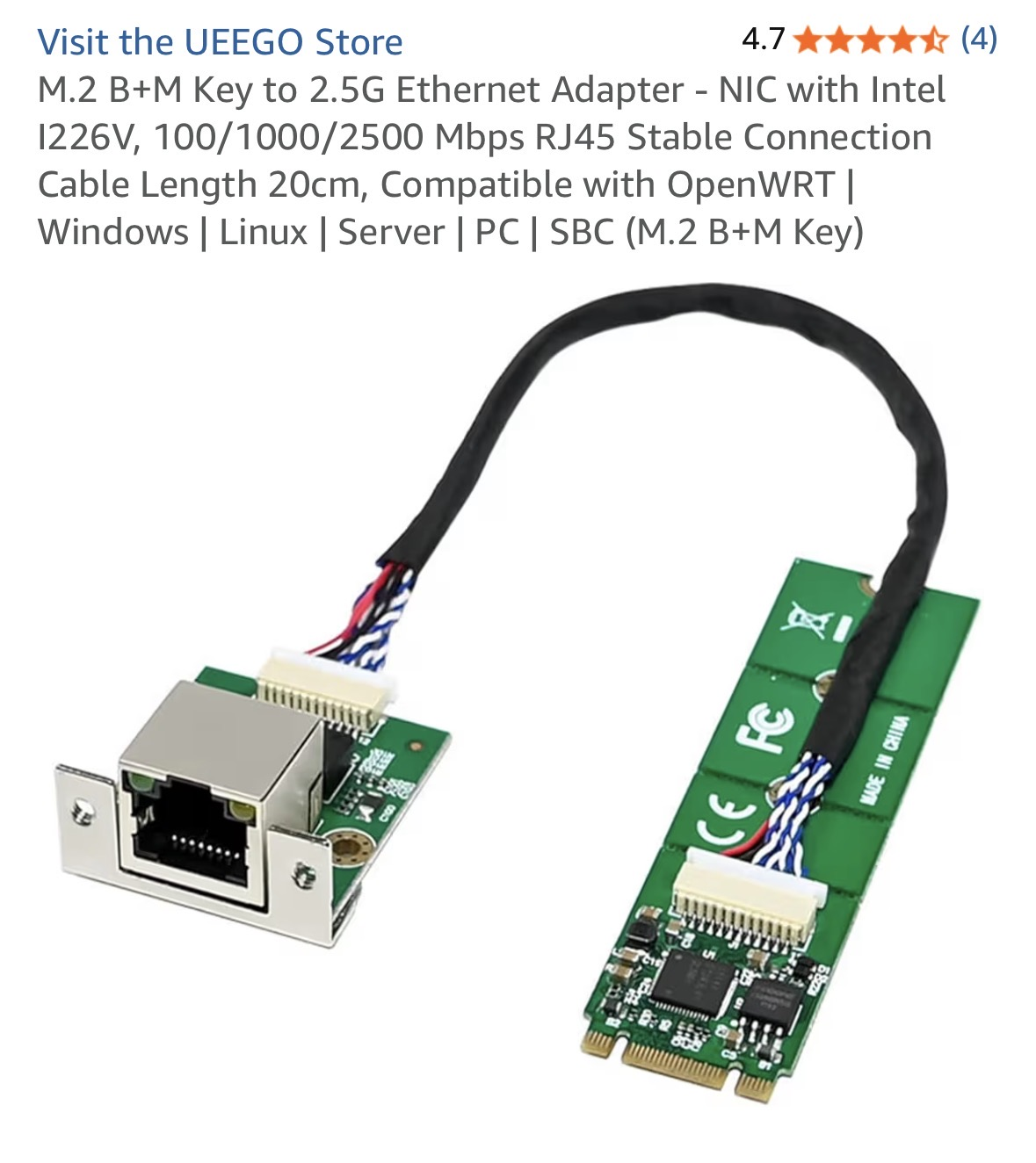
If you have access in your region, I’d say go for it and if it doesn’t work, return it if your region has a good Amazon return policy like mine does. Can’t hurt to give it a try if the description matches what you have.
I buy off AliExpress sometimes but I don’t know much about their return policy, hence why I suggested Amazon instead to try it out and return if it doesn’t work.
Got 3080 recently, there is one m2 for ssd, second one is for wifi/bt.
So the currently unused slot won’t work with an ethernet adapter? It’s purely for storage?
I’m not entirely sure. I think it probably should. I think the second slot (used for wifi) is a different size than the storage slot and a little slower, but still faster than 1gbps ethernet. Check the port sizes. And verify all I said, I have 3080 for a week and migrated my home server to it, so I didn’t do much inside investigation :)