

4·
2 months agoPerfect answer, no need for me to scroll further.
QC Chemist
Perfect answer, no need for me to scroll further.

I just started looking at that this afternoon. May host my own on the game server I’m already running. Like that there are clients for Linux as well as Windows and Mac. My friend doing cross-play with his PS5 will probably have to link in using his phone though.
I did this, and installed the old drive into a USB adapter so I could easily pull any documents I may want to access. The Linux install will mount a NTFS drive, so worked great for that.
For the OP, while you CAN have the PC boot up to the Windows drive plugged into USB, I would not recommend doing it more than a couple times. Windows seems to hate this; I’ve had two installations of Win10 Pro eat itself and become unbootable, could not be repaired. The files were still accessible through Linux though so was able to make copies.
I use “Windy” in the US. They have over 50 different map overlays.
Infrared lasers used in lidar systems will damage phone cameras, so likely will fry surveillance cameras as well. You can buy 1550nm lasers used as illuminators for night vision systems. Probably want a Class 2 or 3.
https://www.techeblog.com/lidar-smartphone-camera-sensor-damage/
I’m running a flatpak version of Orca Slicer on Kubuntu 24.04. Personally, just prefer Orca after trying out a couple others. Found that it worked under Mint, and the 24.04 versions of Ubuntu and Kubuntu. Newer distros using Wayland instead of X11 seemed to have issues (which some people running Cura or Prusa slicers saw as well). Not everyone, but plenty of folks had software lock up at startup, or the build plate preview would just be a blank page. Might be a video driver problem, possibly depending upon if you use nvidia or AMD. I couldn’t find any real answers.
If there’s a slicer you prefer, you may have to find a Linux distro that it works under. Or if you are running a distro you’re sticking with, try slicers until you get one that runs. It seems to be hit or miss for people without any good reason for what does and doesn’t work.
My setup started similar to yours. Asus x570 motherboard with an AMD 3800x processor set for 4.0Ghz and 32GB ram. I had an nvidia 3070ti card which did work for me running the current Kubuntu LTS. Just had to make sure I always had the latest driver release from nvidia. Running games through Steam worked fine, but shader caching would take 20 minutes if I didn’t just skip it. Games had some terrible shadows at times which I could never fix no matter what settings I turned off or reduced. Bought a PowerColor 9070xt card last month (and a bigger power supply to make sure there was enough juice to run everything). Popped it in and performance has been sooo much better! I was expecting there to be issues, but the system posted fine and came right up like normal. Shading issues are gone, games look far better (water actually looks watery and has ripples), shader caching dropped to 10 or 20 seconds. And I haven’t had my system become hung up once since the switch. Friends and I have played Enshrouded, Valheim, and Ark Survival Ascended recently, and been playing a bit of Skyrim for fun too. All have run smoother, look better, and my system has been more stable… Overall it was worth it for me to get a 9070xt card.

Bought a used truck from a pest control company when I was in college, and they didn’t remove any of the decals before I took it. Parked a lot of places for free.
I can still hear that voice in my head saying it, along with “goodbye!”

I’d award you a gold star if there were such a thing. Upvote will just have to do.
Sounds like you are trying to use the “force compatibility” option inside of Steam? I switched out to Linux a few weeks ago. Installed Steam, initially thought I had to tell it what version of Proton to use for each game. Found that I was better off ignoring it, not using any forced compatibility option, and let Steam figure it out. My games run with very few issues that way. I just make sure I have the latest nvidia drivers, which it appears you do. Hope you get it running.
If you can dodge a wrench, you can dodge a ball.
Put in for a replacement power pack on Friday. Just had to enter the order number from Amazon, and upload two pictures of the power pack including the model and serial number. Bought the recalled one in 2018, and it was still working fine when I charged and used it last month. Oh well, I’ll drop it off for recycle next trip to the county waste facility.
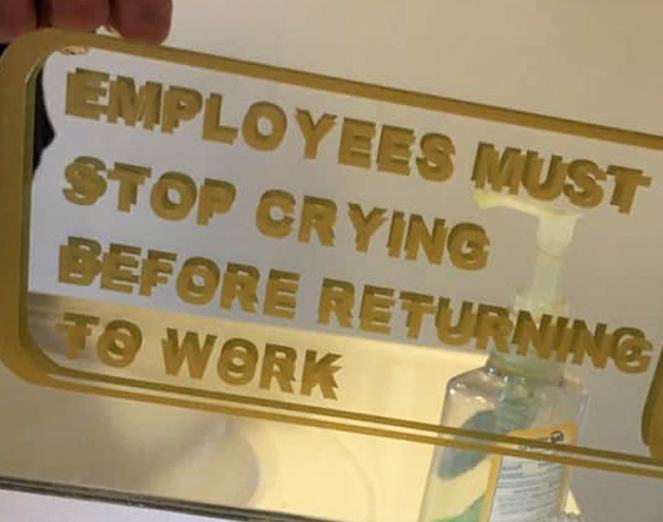
When driving over ice, don’t hit the brakes. You might lose traction. Just hold the steering wheel steady, and keep moving.
The love nub

Used to use Vent playing Eve Online 19 years ago. Worked great back then. Apparently it’s still around, but still no Linux support after all these years.
They neglected to include a M2 slot for a SSD. If they add it to a future release, I’ll have to get one. Could finally have my own Shadowrun rigger deck!
I had an older lady call me to ask why I had been calling her phone. Had to explain that scammers were faking caller ID numbers, it wasn’t me, and everyone was dealing with the same garbage phone calls. She was initially ready to chew me out, but deflated pretty quickly when she realized her vexation would have to be vented toward someone else.



That’s what I switched to about 2 months after getting my Ender 3 S1 Pro. Klipper running from a RPi, lets me push sliced files out over WiFi to the printer right from Orca. So much better than dealing with SD cards.